

VIN-linked record2019 Subaru Legacy#9217 · Appraisal condition captured

One VIN · One visual record
Capture at appraisal. Refresh after detail.
The VIN, mileage and close-range exterior images feed the dealer's connected appraisal workflow. Once the vehicle is acquired and stocked, Halo generates eight listing views. After recon and detailing, a fresh capture updates the exterior and adds up to 25 detail views based on the store's configuration.
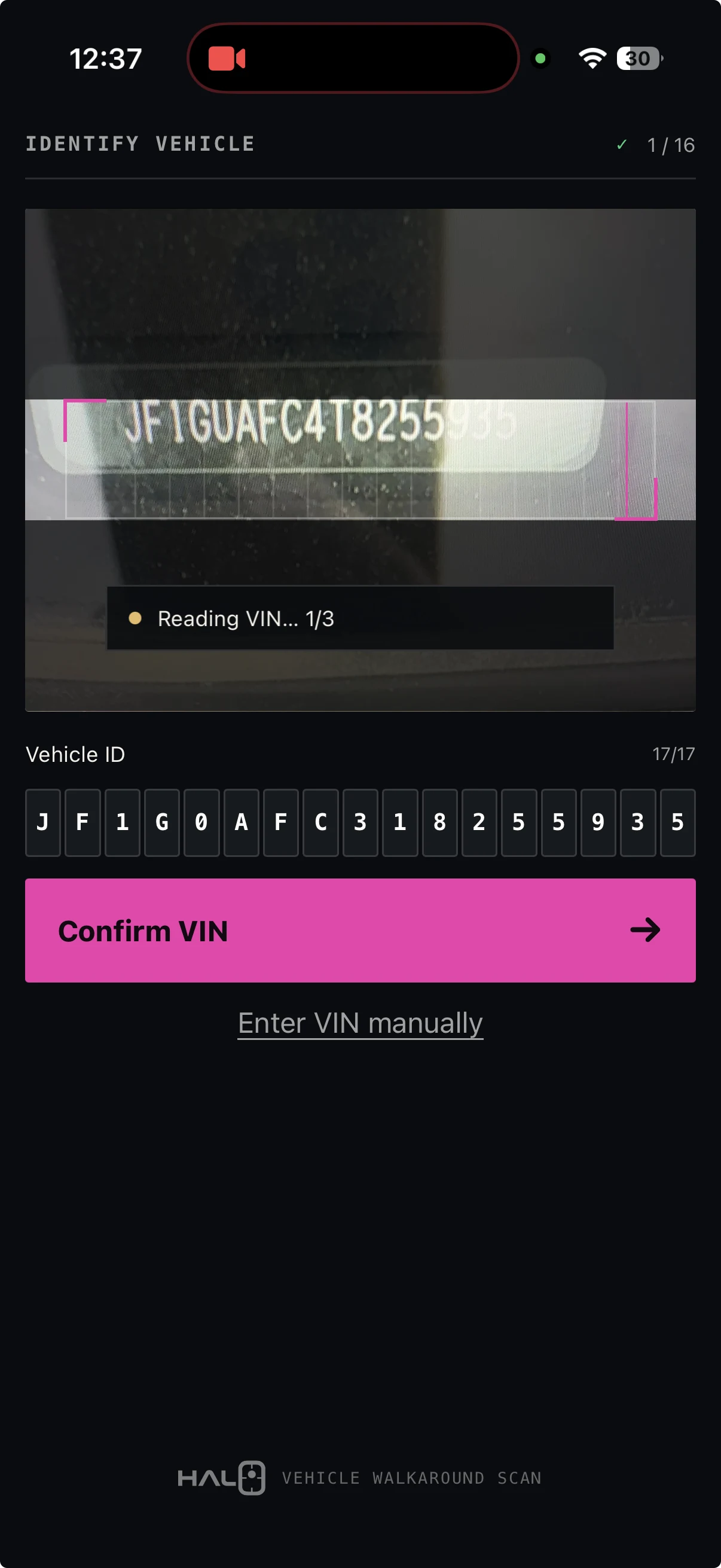
Review all 17 characters before capture.
Halo detects the VIN and displays all 17 characters for review. The operator can correct it or enter it manually.
- VIN detected
- 17 characters reviewed
- Manual fallback available
The next magenta dot is anchored to the vehicle.
Halo places each dot at a specific point on the actual vehicle. The operator moves until the dot lines up.
- 15 exterior anchors
- Next position visible
- No final frame to compose
Five checks pass. Halo captures automatically.
Halo takes the photo automatically when View, Target, Distance, Level and Clarity pass. The operator can review and retake before moving on.
- Five readiness signals
- Automatic exterior capture
- Retake or use view
Halo composes the listing set.
When the vehicle is acquired and stocked, fifteen close-range captures become eight consistently framed full-vehicle views. The approved set and delivery status stay with the VIN.
- Eight finished views
- VIN-linked record
- Resume, finish, and deliver

Halo Capture
Move to the dot. Halo handles the shot.
Halo’s Vehicle Spatial Intelligence places the next target on the vehicle. Move to align with the dot. Halo checks the view, target, distance, level and clarity, then captures automatically. Work from about five feet away, with an exterior walkaround of approximately 90 seconds.
Current Halo Capture
The person follows the dots. Halo owns the standard.
Halo's vehicle-specific models interpret the vehicle and viewpoint, place each magenta target, and capture automatically when the five readiness checks pass. The operator only needs to move to the dot.
HALO CAPTURE
Review the vehicle identity
Halo detects the VIN, then keeps all 17 characters visible for operator review. Correction and manual entry remain available.
Current Halo Capture · real field imagerySkill · no specialist framingSpace · close-range capture from about five feetTime · about 90 seconds for exterior capture
Day-Zero + Final Output
Eight views at stock-in. Fresh photos after recon.
Halo's proprietary production pipeline turns the appraisal capture into a VIN-specific initial merchandising set, then uses the post-recon capture to replace it with the final eight exterior views. Halo Detail Capture can add up to 25 feature, interior, wheel and tire images.
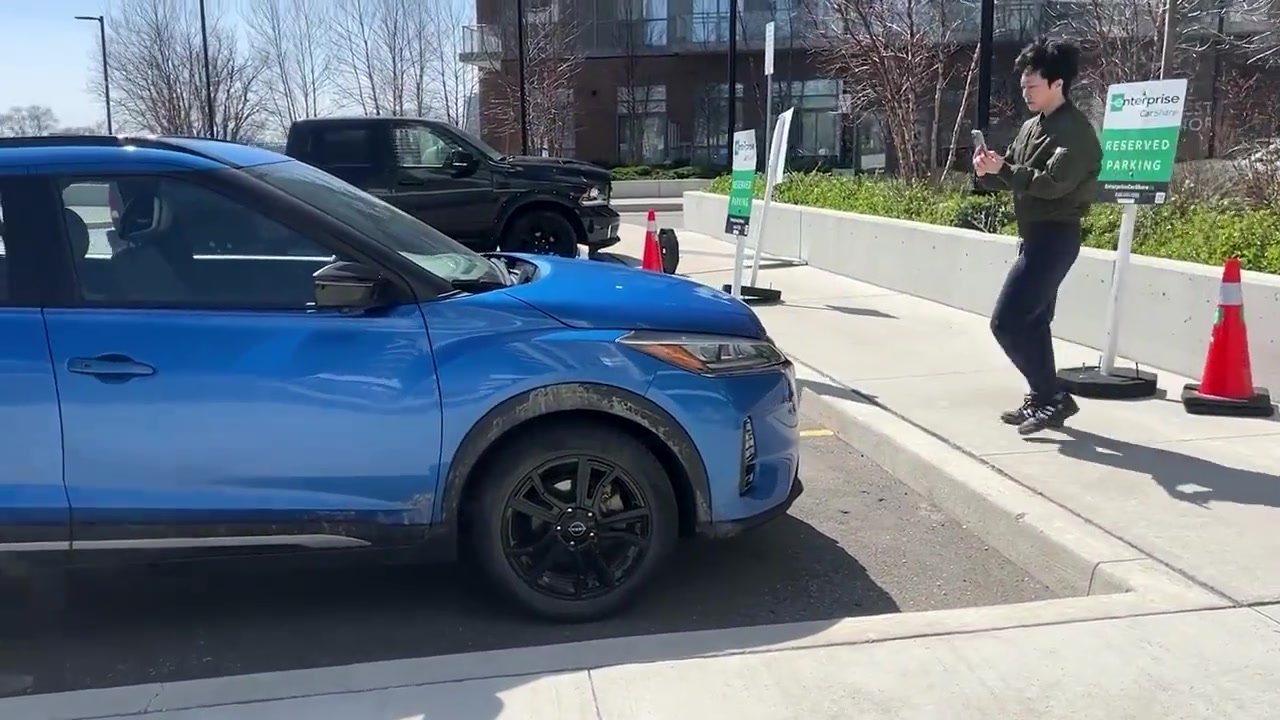
Capture one close-range section at a time where the vehicle already sits.
Eight finished views with the approved background, branding, touch-ups, and file size.
Close-range source coverage


01 / 08Standardized Front viewActual Halo output · Refresh after recon to show the vehicle as it looks now.
Eight primary views. Same framing. Every vehicle.
Plus the interior, feature, tire, and supporting detail views your group chooses.
One guided capture becomes the finished listing set and stays with the VIN.
Detail Studio
The right detail set for this vehicle.
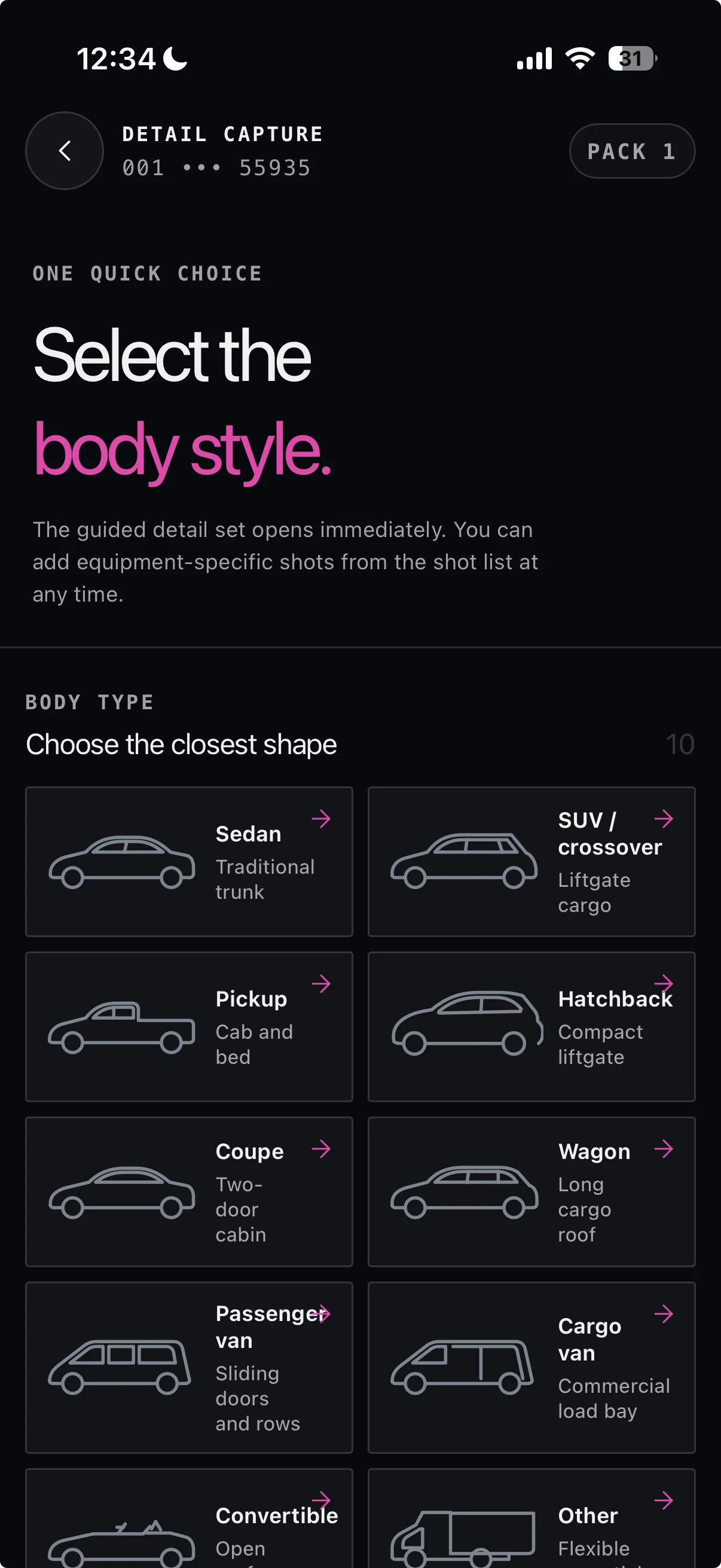
Choose a complete detail set or update one shot. Halo adapts the plan to the vehicle.
HALO CAPTURE
Capture what this vehicle needs
Choose a complete detail set or update one shot. Halo resolves the plan from the vehicle body and installed equipment.
Current Halo Capture · real field imageryComplete set or update a shotBody and equipment awareRequired and optional poses stay explicit
Halo Compass Operations
Track the visual job after capture.
Follow the job from VIN scan and guided capture through review, processing and connected delivery.
HALO CAPTURE
Anchor the work to the vehicle
The current scanner reads the VIN and asks the operator to review every character before continuing.
Current Halo Capture · real field imageryVIN-first vehicle identityOffline progress and reviewable evidenceStage, owner and exception visibility
Halo Relay
Move every approved output into the systems that need it.
Halo Relay connects Compass to dealership systems through direct integrations and controlled interface automation. The visual record, the current approved set and delivery status stay with the VIN from appraisal through retail or wholesale.
You don’t need a dedicated photo person.
Give staff a Halo link for the work they already do. Sales has a capture link connected to your dealership’s appraisal process. Lot managers and detailers have a link to refresh exterior photos and add interior and detail shots when the car is ready.
Anyone else who’s beside a vehicle that needs images can have the appropriate link ready on their phone. Add it to the home screen, and it’s there when needed, with no separate app-store download.
The dot guides each person through the capture. Halo handles the final framing, so different staff can produce the same eight angles and compositions. Photography becomes part of the appraisal, lot and detail work already happening around the car.
That’s Halo’s Vehicle Spatial Intelligence at work: understanding the camera’s position relative to the car and guiding the captures it needs.
Once set up, dot guidance, VIN scanning and odometer scanning work offline too. Staff can finish capturing where the signal drops; processing and delivery require connectivity.
Out of detail? Give the listing a fresh set.
Capture the exterior again to show the car as it looks now. Follow Halo’s prompts for the cabin, seats, cargo area and features, with up to 25 additional detail shots.
Use Halo for new inventory too. Start when the vehicle arrives or enters stock, then add its interior and feature photos.
Finished means ready to list.
Halo creates and checks the listing images before delivery. Faces are automatically removed from all images. Halo replaces licence plates with black plate holders in all listing images. Halo applies your chosen background and fully processes the photos.
Your manager doesn’t need to approve every photo set. If another capture is needed, Halo tells your team what to retake.
Change your background. Leave the cars where they are.
Upload your own background or choose a preset in Halo’s dashboard. Update the background across your inventory whenever you need to, without photographing the cars again or paying a separate rebranding fee.
One rooftop. One monthly price. Go ahead, take the photos.
Appraisals you win. Appraisals you don’t. New arrivals. Fresh captures after detail. They’re all covered.
Your subscription includes team access, capture, listing-image generation, processing, Halo QC, detail-photo flows, background updates and delivery through your agreed supported connections. Standard onboarding and support are included.
No per-car charges. No generation fees. No overages.
Already paying for photography? Start with Halo’s first listing set, then bring more of the work in-house as your team gets comfortable. Compare the flat subscription and staff time with the services you can replace.
Book a 30-minute walkthrough →See Halo on your workflow
Map appraisal, stock-in and photo publishing in 30 minutes.
See where Halo Compass gives your team an earlier start, removes repeated capture and moves approved imagery into the tools your rooftops already use.
BOOK A 30-MINUTE WALKTHROUGH